YouGooDai
Mobile of the Day

YouGooDai

5.0 FREE
  • Screenshot 1
  • Screenshot 2
  • Screenshot 3
  • Screenshot 4

Description

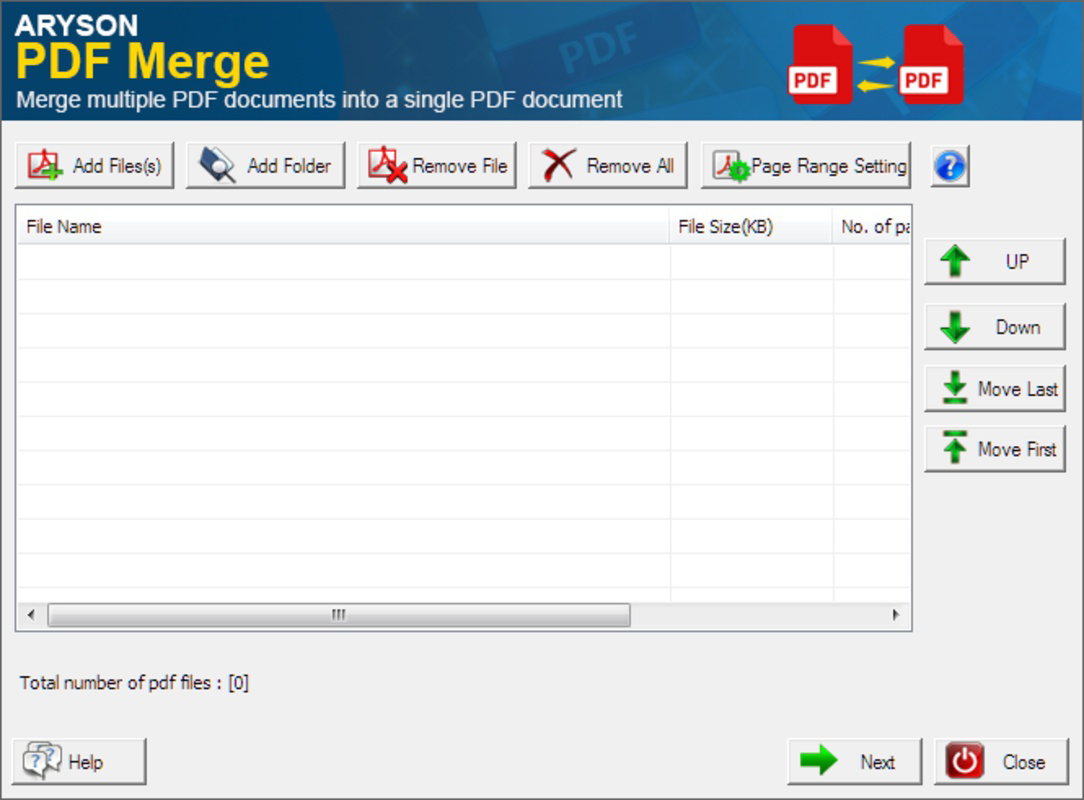
About Merge PDF FilesMerge PDF Files is a must-have tool for anyone who works regularly with PDF files. With just a few clicks, you can combine an unlimited number of files into a single PDF file.The PDF format is one of the most common when it comes to sharing and storing documents thanks to its versatility and ease of use. The only problem with this type of file is that Windows doesn't come with any programs to work with them by default. This is where Merge PDF Files comes in: with just a few steps, you can combine and organize all your PDFs quickly and easily.Using Merge PDF Files is easy. Just drag the documents you want to merge to the main window, placing them in the order you want. Then click the 'Next' button to start the process. In a matter of seconds, the new document will be ready to be used, while maintaining the quality and resolution of the original files. Features of Merge PDF Files - Simple Drag-and-Drop: Easily import your PDF files by dragging and dropping them into the main interface. This intuitive method makes the merging process efficient and user-friendly, catering to both novices and experienced users alike. - Fast Merging Process: Merge PDF Files ensures a quick combination of documents. In just seconds, you can have your new PDF ready, saving you time without compromising the quality of the original files. - Quality Preservation: The software maintains the original quality and resolution of all merged documents. You can be confident that the final output will retain the clarity and detail of the original PDFs. - Unlimited Files Merging: There’s no limit to the number of PDF files you can combine, allowing for extensive document management. Whether you're merging a few files or a large batch, the tool seamlessly handles it. - User-Friendly Interface: With an accessible design, Merge PDF Files avoids complicated procedures. Users can navigate the app without prior knowledge, making it a great solution for anyone in need of PDF merging. Release Date of Merge PDF Files 2018-01-29Reviewed by Thomas P. LarsonShow MoreShow Less

Guides & Tutorials for Merge PDF Files

How to install Merge PDF Files
  1. Click the Preview / Download button above.
  2. Once redirected, accept the terms and click Install.
  3. Wait for the Merge PDF Files download to finish on your device.
How to use Merge PDF Files

This software is primarily used for its core features described above. Open the app after installation to explore its capabilities.

User Reviews for Merge PDF Files 0

    No reviews found

Similar Apps
